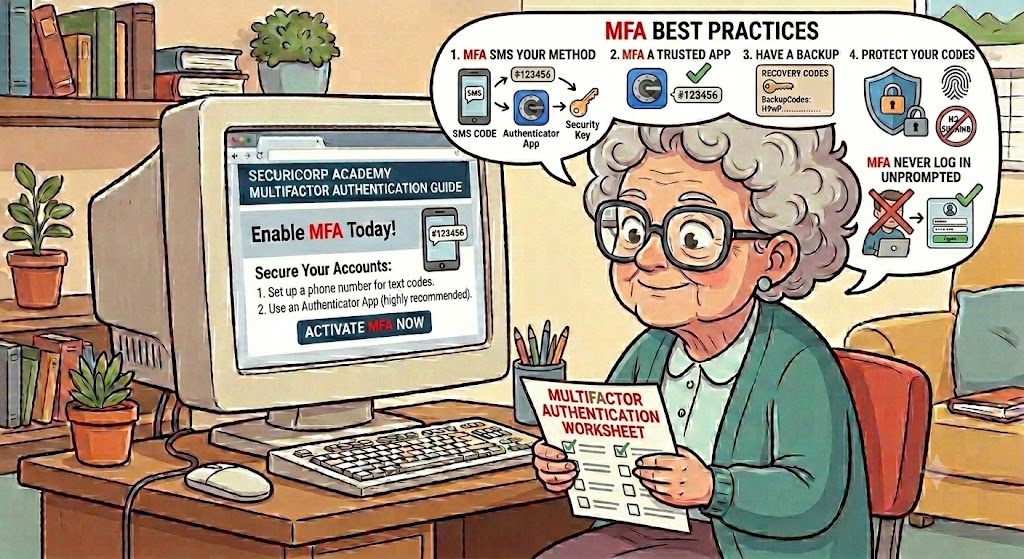
Multi-Factor Authentication (MFA) is a security method that requires more than just a password to access your account. It significantly reduces the risk of hacking by blocking unauthorized users even if they steal your password.
How MFA Works
MFA works by combining two or more independent categories of proof to verify your identity. These categories are based on:·
• Something you know:
A traditional password, PIN, or security question. ·
• Something you have:
A physical device like your smartphone or a hardware security key. ·
• Something you are:
Biometrics such as a fingerprint, face scan, or voice recognition.
The Most Common Methods of MFA·
• SMS Text Codes: A 6-digit one-time passcode sent to your mobile phone via text message. ·
• Authenticator Apps: Apps installed on your phone (like Microsoft Support) generate a unique, temporary 6-digit code that changes every 30 seconds. ·
• Hardware Keys: Physical devices resembling a USB drive that you plug into your computer to securely confirm your identity.
Why You Should Use MFA·
• Excellent Protection: MFA is highly effective, with Microsoft security analysis suggesting it blocks up to 99.9% of automated password-related attacks. ·
• Defense in Depth: Even if a hacker acquires your password, they are entirely locked out without the second factor (such as the physical device).
Best Practices for Securing Your Accounts
To maximize safety when using MFA, follow these guidelines:
• Choose Secure Factors: Prioritize authenticator apps or physical hardware keys over SMS text codes, as they offer much stronger protection against phone hacks and SIM-swapping.
• Enable Backup Codes: Always save your backup or recovery codes in a secure location (like a physical safe or an encrypted vault) to prevent getting locked out of your account if your device is lost.