Cyber Security Topics
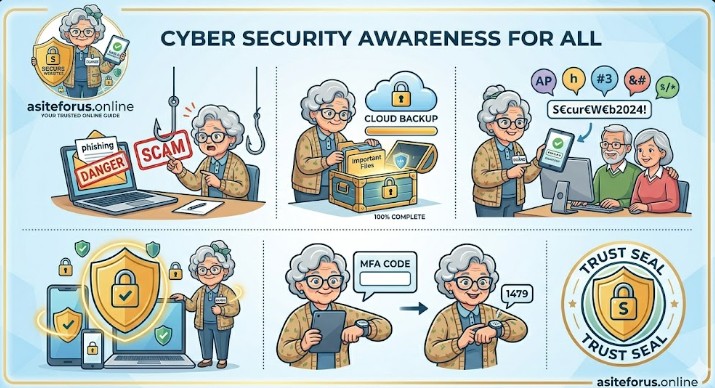
Securing your digital presence requires a multi-layered approach. Here are the best practices for the areas you mentioned:
1. Phishing Mitigation
- Verify the Source: Always check the sender’s full email address and look for subtle misspellings in domain names (e.g.,
hostinger-support.comvs.hostlnger.com). - Avoid Urgent Links: Be wary of messages creating a sense of panic. Instead of clicking links, navigate directly to the official website via your browser.
- Inspect URLs: Hover over links to see the actual destination before clicking.
2. Safe Browsing
- Use HTTPS: Ensure websites use
https://(look for the padlock icon), which encrypts the data sent between your browser and the site. - Keep Software Updated: Regularly update your browser and extensions to patch security vulnerabilities.
- Avoid Public Wi-Fi for Sensitive Tasks: Use a VPN or your mobile data when accessing banking or administrative dashboards on public networks.
3. Password and Passphrase Best Practices
- Use Passphrases: Instead of complex passwords like
P@ssw0rd1!, use long phrases likeBlue-Mountain-Coffee-2026!. Length is often more secure than complexity. - Unique Credentials: Never reuse the same password across different services. If one site is breached, your other accounts remain safe.
- Use a Password Manager: Tools like NordPass or Bitwarden help generate and store complex, unique passwords securely.
4. Multi-Factor Authentication (MFA)
- Enable Everywhere: Use MFA on all accounts that support it, especially email, hosting, and financial services.
- Prefer Authenticator Apps: Use apps like Google Authenticator or hardware keys (YubiKey) over SMS, as SIM-swapping can intercept text codes.
- Save Recovery Codes: Store your one-time recovery codes in a secure, offline location in case you lose access to your MFA device.
5. Computer and Device Defense
- Enable Automatic Updates: Set your operating system and applications to update automatically to stay protected against the latest threats.
- Use Built-in Security: Keep Windows Defender or macOS Gatekeeper active, and ensure your firewall is turned on.
- Encryption and Locking: Encrypt your hard drive (using BitLocker or FileVault) and always set a strong PIN or biometric lock on mobile devices.