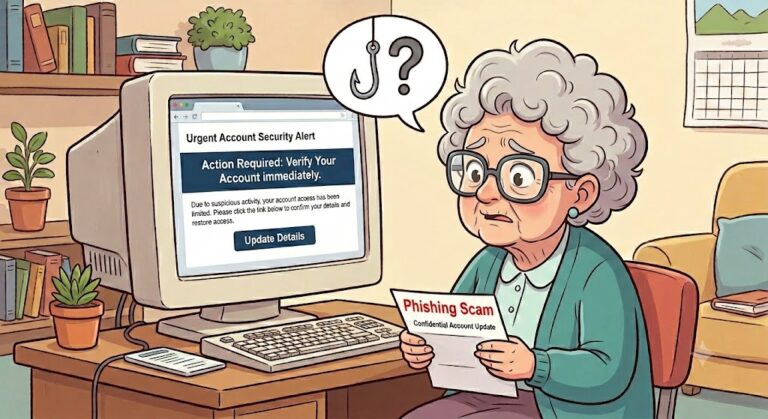
How to Mitigate Phishing Attacks
Navigating the digital world safely doesn’t require a degree in computer science—it just takes a few good habits. Cybercriminals often rely on creating a sense of urgency or confusion to bypass judgment. By slowing down and implementing a few straightforward defenses, older adults can drastically reduce their risk online.
Here are the fundamental building blocks of personal cybersecurity, organized into actionable, easy-to-digest steps:
- Stronger Passwords & Passphrases
The days of using a pet’s name or a birthdate are behind us, as hackers can easily guess or look up this information.
Use Passphrases: Instead of a complex, hard-to-remember password, use a “passphrase”—a sequence of four or more random, unrelated words (e.g., purple duck potato boat). They are highly secure but much easier to type and remember.
Keep Them Unique: Never reuse the same password across multiple websites. If a hacker breaches one minor gaming site or forum, they will immediately try that same password on bank accounts and email portals.
Use a Password Manager: Tools like the built-in Apple Passwords app or trusted services can generate, safely store, and automatically fill in complex passwords. This means only one “Master Password” needs to be remembered.
- Lock Down Logins with Multi-Factor Authentication (MFA)
Passwords can be stolen or leaked in corporate data breaches. MFA acts as a second line of defense.
How it works: When logging into an account (like online banking or email), a prompt will ask for a second piece of evidence to prove identity—usually a text message code, an authentication app code, or a fingerprint scan.
Why it matters: Even if a scammer manages to steal a password, they won’t be able to log in without that secondary physical code from the user’s phone.
- Spotting Phishing and “Urgency” Scams
Phishing is when scammers pretend to be a trusted entity (a bank, Medicare, the IRS, Amazon, or even a grandchild) to steal sensitive information.
The “Urgency” Red Flag: Scammers rely heavily on panic. Messages like “Your account will be suspended in one hour!” or “Fraud detected, act immediately!” are designed to force quick action. Legitimate organizations will not pressure customers this way.
Verify the Sender: Look past the display name on an email and look at the actual email address. Scammers often use subtle typos (like support@micr0soft.com or amazn.com).
Never Click the Link: If an email or text claims there is an issue with an account, do not click the link provided in the message. Instead, open a browser, manually type in the organization’s official website address, and log in securely from there.
Say No to Remote Access: Never allow an unsolicited caller or tech support pop-up to take remote control of a computer.
- Keeping Devices Defended
Technology built today comes with excellent baseline security, but it must be kept up to date to function properly.
Turn on Automatic Updates: Ensure smartphones, tablets, and computers have automatic updates enabled. These updates include critical security patches that fix newly discovered vulnerabilities.
Install Reputable Antivirus Software: A reliable antivirus program can flag malicious websites in search results and block unsafe downloads before they can damage a device.
Secure the Home Wi-Fi: Ensure the home router is password-protected and avoids public, unencrypted Wi-Fi networks for financial transactions unless using a Virtual Private Network (VPN).
5. Safe Browsing
- Use HTTPS: Ensure websites use
https://(look for the padlock icon), which encrypts the data sent between your browser and the site. - Keep Software Updated: Regularly update your browser and extensions to patch security vulnerabilities.
- Avoid Public Wi-Fi for Sensitive Tasks: Use a VPN or your mobile data when accessing banking or administrative dashboards on public networks.
The Golden Rule of Cyber Security: When in doubt, stop and take a breath. It is always entirely appropriate to hang up the phone, delete the text, or ask a trusted, tech-savvy family member or friend for a second opinion before clicking or sending money.